SOLT Serial port protocol - Receiving and decoding data
Introduction
Developers often request the integration of SOLT devices and the provision of an API, but at the same time avoid working with a serial port due to lack of experience. However, in fact, working with a COM (Serial) port is quite simple and intuitive. In some cases, implementing your own data reading in the program is much more convenient and efficient than setting up and maintaining an intermediate server with an API.
Let's figure out how to do it - it will only take 5-10 minutes!
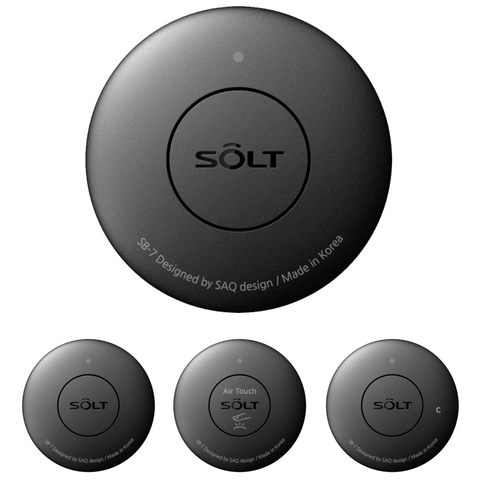
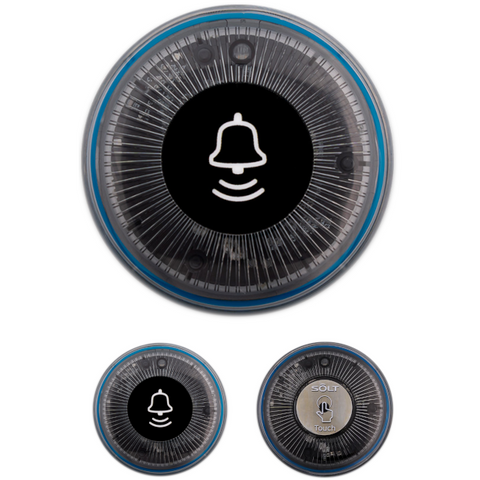
The button or call panel is a radio transmitter, and the SOLT SR5-MPRT device is used as a receiver - modem. The SR5-MPRT modem is a device with an RS232 interface available in two versions with a built-in USB converter and a USB A connection interface and without - with a DB9 connection interface. In essence, these are identical devices with the same protocols.
Each device (remote control, SOLT button) has a unique code programmed at the factory, which allows you to uniquely identify the source of the signal. This code is called remote_id and is transmitted in a data packet (Example 41 31 42 32 43 33 ("A1B2C3"))
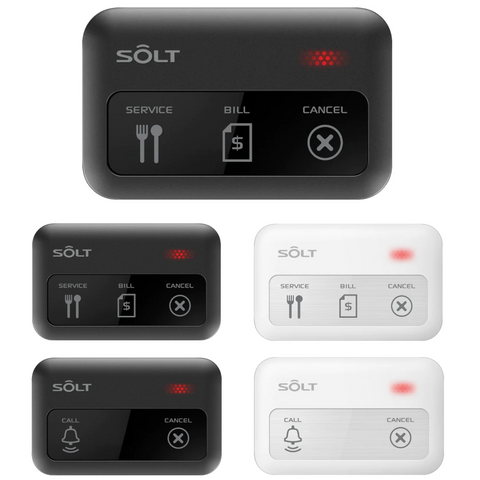
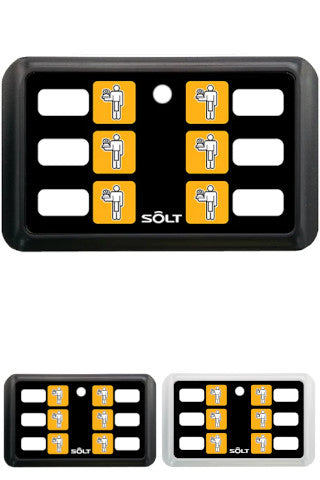
In addition to the unique device identifier, each remote control contains one or more buttons, the pressing of which transmits the corresponding code. Button codes indicate various actions:
Call Buttons |
Hex |
Cancel Buttons |
Hex |
| 1 | 0x14 | 2 | 0x24 |
| 3 | 0x28 | 4 | 0x34 |
| 5 | 0x38 | 6 | 0x44 |
| 7 | 0x48 | 8 | 0x54 |
| 9 | 0x58 | 10 | 0x64 |
| 11 | 0x68 | 12 | 0x74 |
| 13 | 0x78 | 14 | 0x84 |
| 15 - Cancel | 0xE4 | ||
| 16 - Full Cancelation of all calls | 0xF4 |
For example, the SB9-3XBK console has 2 call buttons 1 = 14 and 3 = 28 and one Cancel button 15 = E4
The SB7-1PBK console has only one call button 1 = 14
SOLT protocol description
Data transmission in the SOLT protocol is carried out in packets of a fixed length of 19 bytes. The package format is as follows:
| Byte | Purpose | Description |
| 1 | Start symbol (STX) | Defines the beginning of the package |
| 2-3 | Pressed button code | Two ASCII characters identifying the button |
| 4 | Separator - | Fixed separator |
| 5-10 | Remote ID | Unique device identifier (ASCII) |
| 11 | Separator - | Fixed separator |
| 12-18 | User data | ASCII string with user ID |
| 19 | End symbol (ETX) | Package completion |
Example of a package in hexadecimal:
02 31 34 2D 41 31 42 32 43 33 2D 31 32 33 34 35 36 37 03
Where:
- 02 (STX) - the beginning of the package,
- 31 34 ("14") - call button code,
- 2D ("-") - the first separator,
- 41 31 42 32 43 33 ("A1B2C3") - device ID (remote ID),
- 2D ("-") - the second separator,
- 31 32 33 34 35 36 37 ("1234567") - user data (they are specified when registering the button in the SR5-MPRT modem
- 03 (ETX) - the end of the package symbol.
Example of a Python program
The full code is given at the end of the article.
By the way, just copy this complete code text to your AI assistant and it will modify it wonderfully for your development environment.
Installing the required libraries
Before running the code, you must install libraries to work with the COM port. Use the following command to install:
pip install serial-asyncio
These libraries provide work with a serial port as in asynchronous mode.
Storing variables and port settings
At the beginning of the program, constants are set for working with the serial port:
import asyncio
import serial_asyncio

# COM port settings
SERIAL_PORT = "COM5"  # Specify your port, e.g. "/dev/ttyUSB0" for Linux
BAUDRATE = 9600  # Baud rate
PACKET_LENGTH = 19  # Expected packet length
These parameters define the port, data rate, and expected packet length in bytes.
SerialReader class
To process incoming data, the SerialReader class is used, which implements the following methods:
- data_received(self, data): receives incoming data, accumulates it in the buffer and transmits it for parsing.
- process_packet(self, data): parses the received packet.
class SerialReader(asyncio.Protocol):
    def __init__(self):
        self.buffer = bytearray()

    def data_received(self, data):
        """Process incoming data"""
        self.buffer.extend(data)
        while len(self.buffer) >= PACKET_LENGTH:
            packet = self.buffer[:PACKET_LENGTH]
            self.buffer = self.buffer[PACKET_LENGTH:]
            self.process_packet(packet)  # Pass data to the method

    def process_packet(self, data):
        """Parse data packet"""
        if len(data) != PACKET_LENGTH:
            print("Invalid packet length")
            return

        # Extract individual parts of the packet
        start_symbol = chr(data[0])  # First byte - start symbol
        button_number = ''.join(chr(byte) for byte in data[1:3]).strip()  # Bytes 2-3 - button number
        separator1 = chr(data[3])  # 4th byte - separator
        remote_id = ''.join(chr(byte) for byte in data[4:10]).strip()  # Bytes 5-10 - remote ID
        separator2 = chr(data[10])  # 11th byte - second separator
        user_info = ''.join(chr(byte) for byte in data[11:18]).strip()  # Bytes 12-18 - user data
        end_symbol = chr(data[18])  # 19th byte - end symbol

        parsed_data = (
            f'Start symbol: {start_symbol}, Button number: {button_number}, '
            f'Remote ID: {remote_id}, User data: {user_info}, '
            f'Separators: {separator1}, {separator2}, End symbol: {end_symbol}'
        )
        print(parsed_data)
Now that the basic settings and data processing class have been analyzed, you can proceed to the process of opening the port and receiving data.
Opening a COM port and receiving data
This example uses the asynchronous method of working with the COM port using the serial_asyncio library. This approach allows you to:
- Process data in real time without blocking the main stream.
- Work with multiple connections or perform other tasks in parallel.
- Avoid freezing the program while waiting for data.
However, if the program task requires a simpler or more consistent approach, you can use the usual (synchronous) method with the pyserial library. For example, if you need to process a small amount of data without background processes.
When you start the program, a serial port with the specified parameters opens:
async def main():
    """Start asynchronous reading from the COM port"""
    print(f'Opening port {SERIAL_PORT} at baud rate {BAUDRATE}')
    loop = asyncio.get_running_loop()
    transport, protocol = await serial_asyncio.create_serial_connection(
        loop, SerialReader, SERIAL_PORT, BAUDRATE
    )
    try:
        await asyncio.Event().wait()  # Infinite wait
    except asyncio.CancelledError:
        pass
    finally:
        transport.close()
        print("Port closed")
Packet parsing
Upon receipt of the data, the packet is parsed:
    def process_packet(self, data):
        """Parse data packet"""
        if len(data) != PACKET_LENGTH:
            print("Invalid packet length")
            return

        # Extract individual parts of the packet
        start_symbol = chr(data[0])  # First byte - start symbol
        button_number = ''.join(chr(byte) for byte in data[1:3]).strip()  # Bytes 2-3 - button number
        separator1 = chr(data[3])  # 4th byte - separator
        remote_id = ''.join(chr(byte) for byte in data[4:10]).strip()  # Bytes 5-10 - remote ID
        separator2 = chr(data[10])  # 11th byte - second separator
        user_info = ''.join(chr(byte) for byte in data[11:18]).strip()  # Bytes 12-18 - user data
        end_symbol = chr(data[18])  # 19th byte - end symbol

        parsed_data = (
            f'Start symbol: {start_symbol}, Button number: {button_number}, '
            f'Remote ID: {remote_id}, User data: {user_info}, '
            f'Separators: {separator1}, {separator2}, End symbol: {end_symbol}'
        )
        print(parsed_data)
Full example code
# EXAMPLE OF ASYNCHRONOUS CONNECTION TO A SERIAL PORT

import asyncio
import serial_asyncio

# COM port settings
SERIAL_PORT = "COM5"  # Specify your port, e.g. "/dev/ttyUSB0" for Linux
BAUDRATE = 9600  # Baud rate
PACKET_LENGTH = 19  # Expected packet length


class SerialReader(asyncio.Protocol):
    def __init__(self):
        self.buffer = bytearray()

    def data_received(self, data):
        """Process incoming data"""
        self.buffer.extend(data)
        while len(self.buffer) >= PACKET_LENGTH:
            packet = self.buffer[:PACKET_LENGTH]
            self.buffer = self.buffer[PACKET_LENGTH:]
            self.process_packet(packet)  # Pass data to the method

    def process_packet(self, data):
        """Parse data packet"""
        if len(data) != PACKET_LENGTH:
            print("Invalid packet length")
            return

        # Extract individual parts of the packet
        start_symbol = chr(data[0])  # First byte - start symbol
        button_number = ''.join(chr(byte) for byte in data[1:3]).strip()  # Bytes 2-3 - button number
        separator1 = chr(data[3])  # 4th byte - separator
        remote_id = ''.join(chr(byte) for byte in data[4:10]).strip()  # Bytes 5-10 - remote ID
        separator2 = chr(data[10])  # 11th byte - second separator
        user_info = ''.join(chr(byte) for byte in data[11:18]).strip()  # Bytes 12-18 - user data
        end_symbol = chr(data[18])  # 19th byte - end symbol

        parsed_data = (
            f'Start symbol: {start_symbol}, Button number: {button_number}, '
            f'Remote ID: {remote_id}, User data: {user_info}, '
            f'Separators: {separator1}, {separator2}, End symbol: {end_symbol}'
        )
        print(parsed_data)


async def main():
    """Start asynchronous reading from the COM port"""
    print(f'Opening port {SERIAL_PORT} at baud rate {BAUDRATE}')
    loop = asyncio.get_running_loop()
    transport, protocol = await serial_asyncio.create_serial_connection(
        loop, SerialReader, SERIAL_PORT, BAUDRATE
    )
    try:
        await asyncio.Event().wait()  # Infinite wait
    except asyncio.CancelledError:
        pass
    finally:
        transport.close()
        print("Port closed")


if __name__ == "__main__":
    asyncio.run(main())